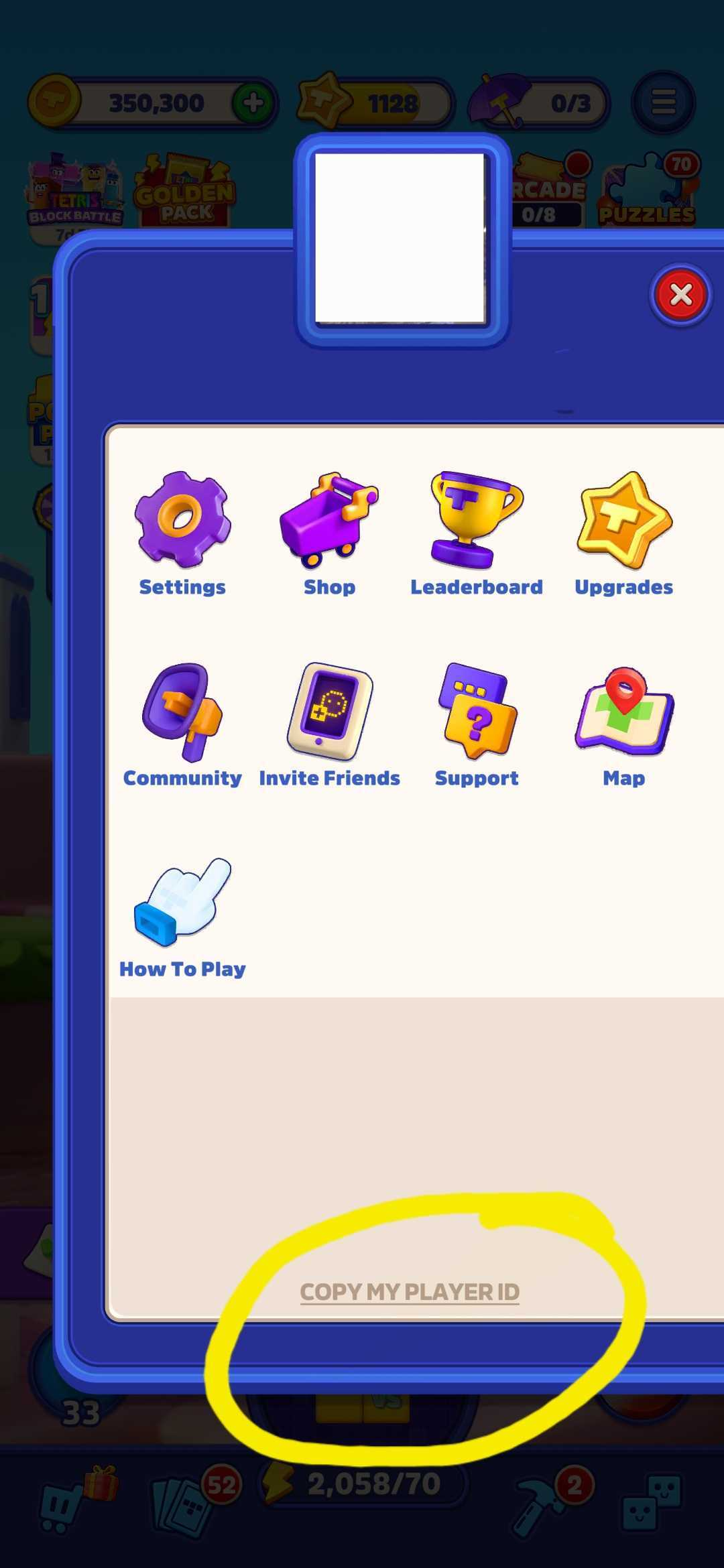
To find your player ID, follow the steps below:
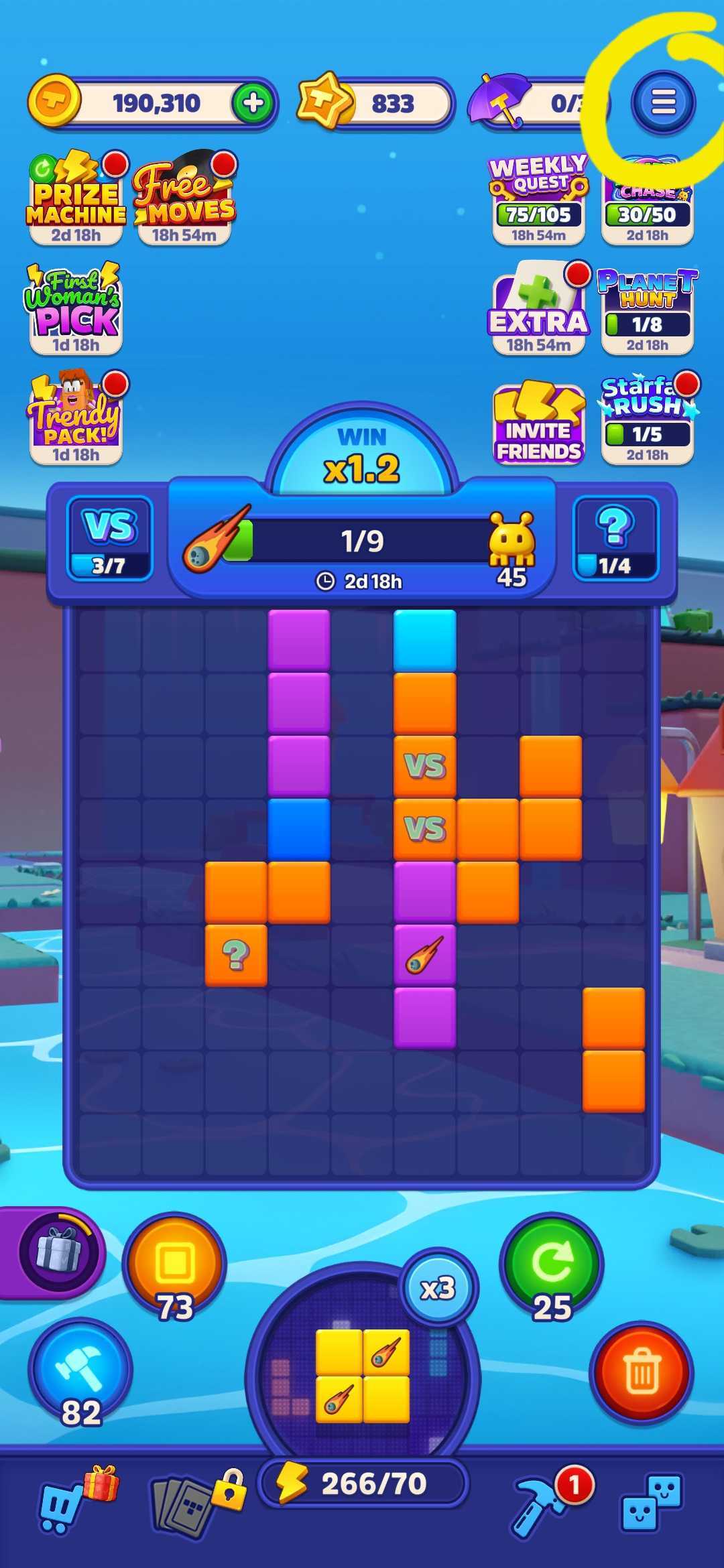
On the main screen, look in the upper-right corner for a blue circle with three white lines and tap it.
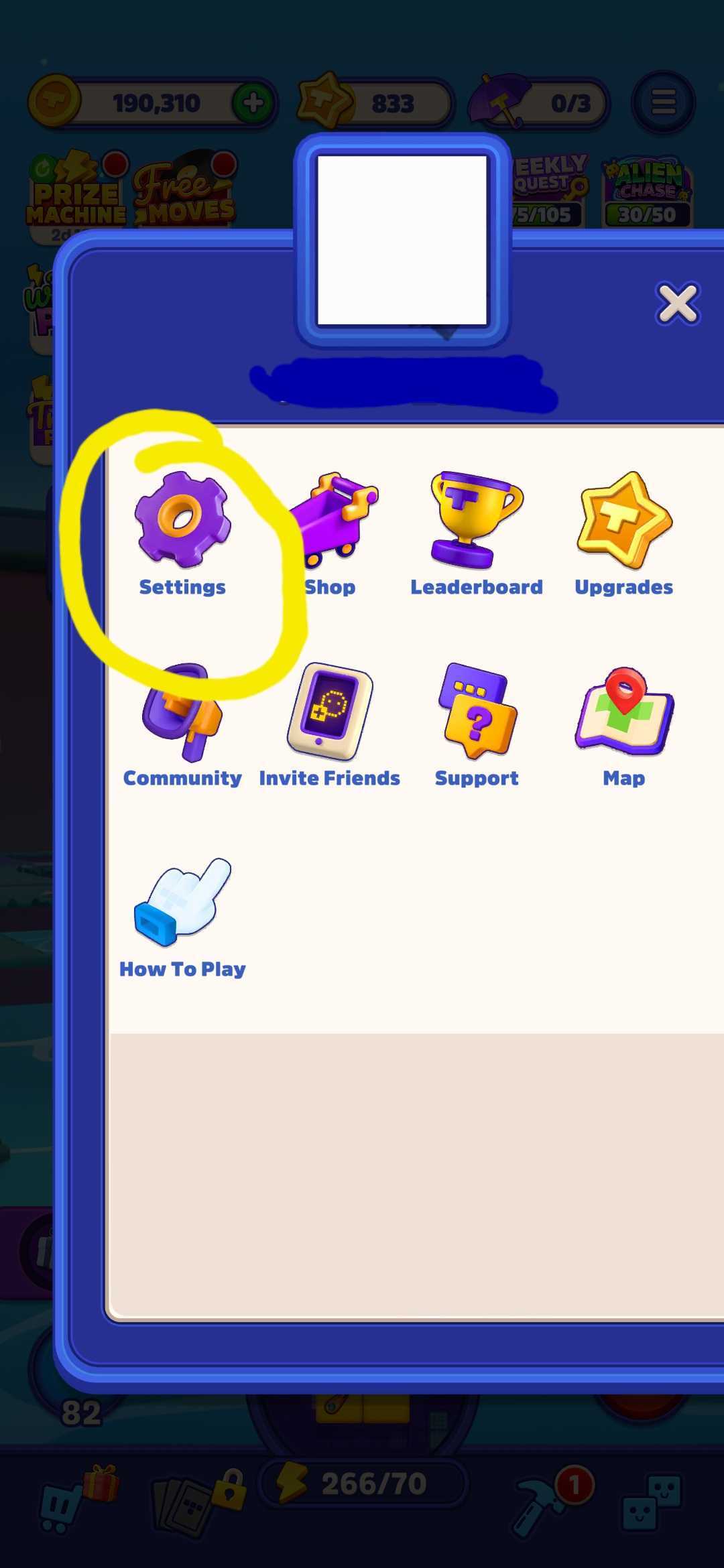
This will open the menu. Tap the gear icon labeled “Settings.”
When the Settings window opens, tap on the "Copy my Player ID" text and it will be copied to your clipboard and can be pasted elsehwere.